← Back to Help Center

Platform Overview

Understand the SEE → UNDERSTAND → ACT → MONITOR loop and navigation map.

Platform Overview

GEO Agent is not a single chat audit tool—it is a SEE → UNDERSTAND → ACT → MONITOR platform for ongoing GEO operations.

The loop

Phase Question Main pages
SEE Is your brand mentioned in AI answers? Overview
UNDERSTAND Why not? Where are opportunities? Insight pages, Opportunity
ACT What to fix first? Issues, Content, Agent
MONITOR Did changes improve results? Overview trends, Issues retest

Recommended order: SEE before ACT. Issues is your action queue—not the starting point. Build prompts and run probes first.

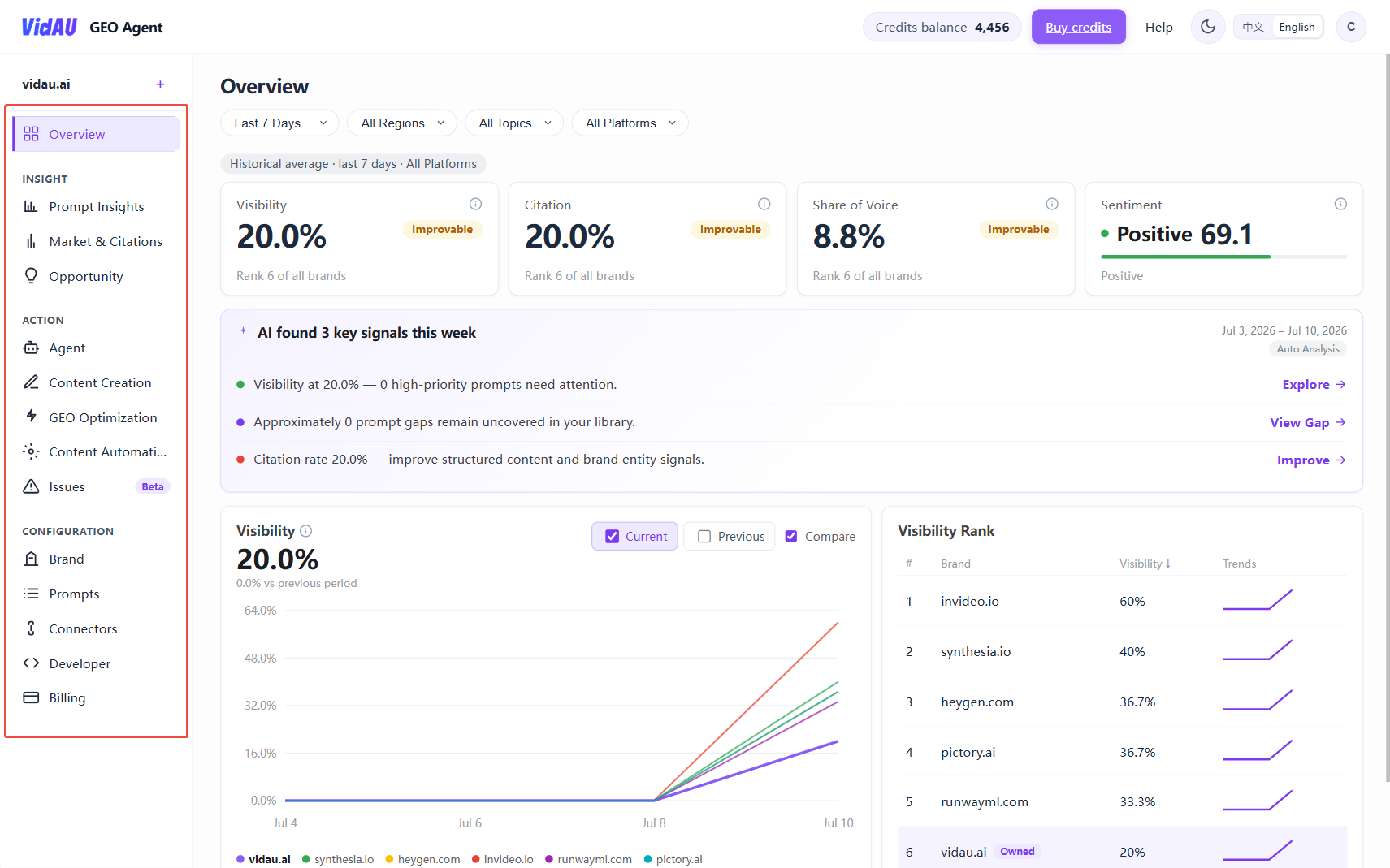
📸 Screenshot needed: see-understand-act

Path: Login → full Overview page

Save screenshot as public/help/screenshots/see-understand-act.png

## Left navigation (four groups)

General

Page Path Purpose
Overview /app/overview KPI dashboard: Visibility, Citation, SOV, Sentiment, trends

Insight

Page Path Purpose
Analytics /app/insight/analytics Multi-dimensional analysis
Leaderboard /app/insight/leaderboard Brand/competitor rankings
Answer Engine /app/answer-engine AI platform comparison
Query Fanout /app/fanout Sub-questions AI expands from one query
Opportunity /app/insight/opportunity Content gaps, citations, community
Prompt Volumes /app/prompt-volumes Prompt demand structure

Action

Page Path Purpose
Agent /app/agent Audits, proposals, writing, optimization
Content Create /app/content/create New GEO articles
Content Optimize /app/content/optimize Existing page optimization
Content Automation /app/content/automation Scheduled publishing (requires setup)
Issues /app/issues Prompt backlog + priorities

Configuration

Page Path Purpose
Brand Profile /app/brand Brand, domain, competitors
Keyword Library /app/brand/keywords Keyword library
Prompt Management /app/prompts Tracking prompts
Connectors /app/connectors WordPress and other CMS
Developer /app/developer MCP, API keys
Full left sidebar after login
## Where to start (new users)
  1. Overview — weekly KPI check
  2. Prompt Management — build tracking library
  3. Issues — prioritize and Optimize
  4. Agent — full audit + HTML report
  5. Opportunity — content gaps

Explore other Insight pages after you are comfortable with the basics.

Two usage modes

Self-serve operations (this Help Center focuses on this)
Setup → build prompts → weekly Overview + Issues → Optimize yourself

Consultant-led delivery (common B2B)
Consultant runs the platform → exports HTML reports / screenshots → sends to client; client may never log in.

Next steps